Payment Request Using Customer Token
Process a payment using a saved customer token (tokenized card).
Endpoint Information
Name: Payment Request Using Customer Token
Method: POST
URL: {{BASE_URL}}/api/v1/payment/request
Description
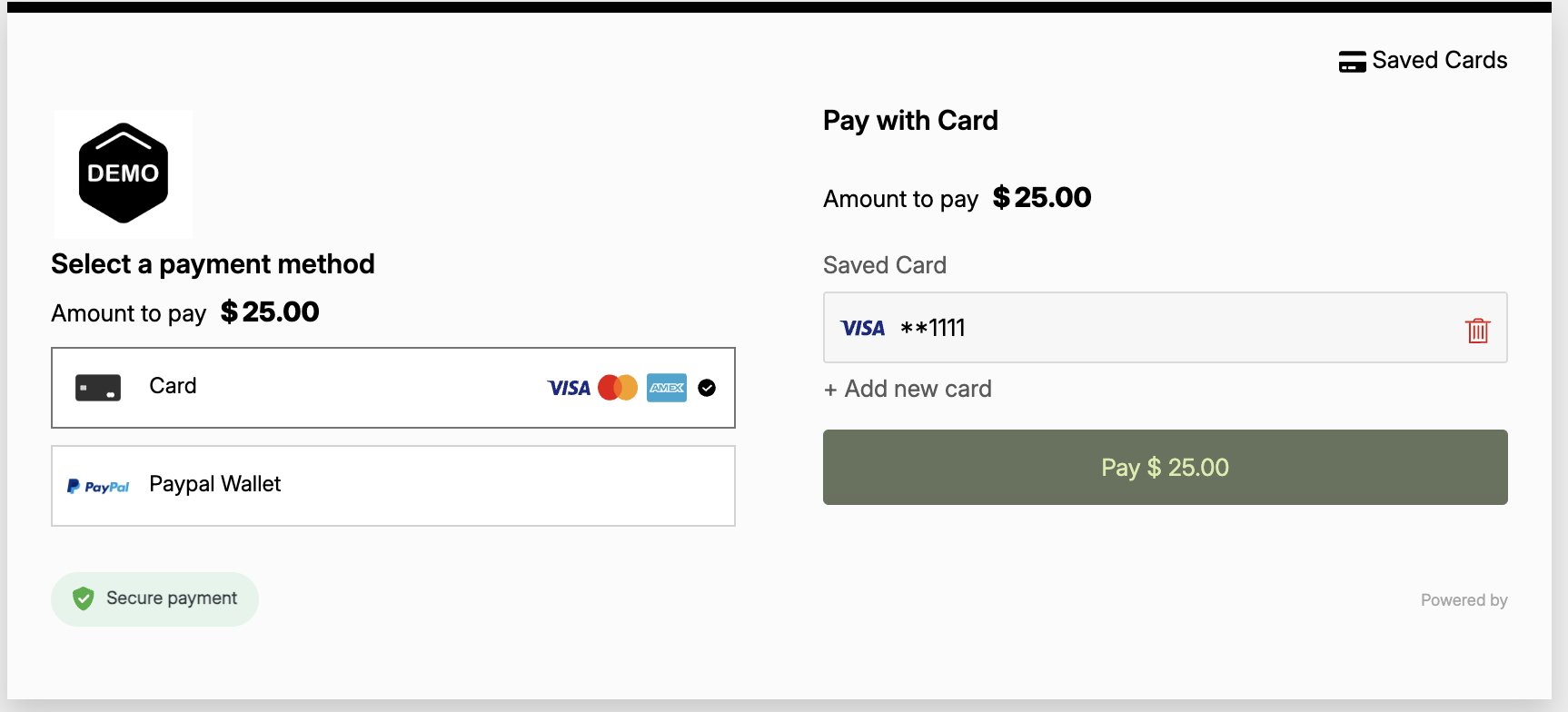
This endpoint allows you to charge a returning customer using their saved payment method (token) without requiring them to re-enter card details.
Authentication
Type: Basic Auth
- Username: App Key
- Password: Secret Key
Request Body
Content-Type: application/json
{
  "customerToken": "f0a8c83a1d4457b840b4376b9657b48e",
  "reference": "1XYOCJXEBFQ6",
  "merchantAccountId": "{{your_account_no}}",
  "currency": "USD",
  "amount": "25",
  "ttl": "10",
  "tagName": "XYOCJXEBF",
  "webhookUrl": "https://webhook.site/c31acfce-9887-4b29-b2f2-8aad83139c8c"  // optional, max 255 characters
}
Key Parameters
| Parameter | Type | Required | Description |
|---|---|---|---|
customerToken | string | Yes | The saved customer token representing the card |
reference | string | Yes | Unique transaction reference |
merchantAccountId | string | Yes | Your merchant account ID |
amount | string | Yes | Payment amount |
currency | string | Yes | Currency code (ISO 4217, e.g., USD) |
ttl | string | No | Time to live in minutes (default: 15) |
tagName | string | No | Optional tag for tracking |
webhookUrl | string | No | Optional URL for IPN notifications. Max 255 characters |
Response
Success Response Example
{
"success": true,
"message": "Payment Request Accepted",
"data": {
  "payment_url": "https://sgw.paymid.com/secure-checkout/ab886b31-88bd-46fe-bec6-75f6b44f941b",
  "reference": "1XYOCJXEBFQ6"
}
}
Usage
- Obtain Token: Get the
customerTokenfrom a previous successful payment or customer registration. - Make Request: Send this request with the token.
- Redirect: Redirect the user to the
payment_url(usually for 3DS verification if required, or instant success).
Example Screenshot
Related Endpoints
- Add Customer - Create a customer to get a token
- Remove Customer Token - Delete a saved token